
An event is anything that happened to one animal that is not a feed. Sheds, cleans, vet visits, weigh-ins, a defecation, handling, or something you simply want on the record.
Open the animal
Go to Collection and tap the animal's card — or use the search box above the cards to find it by name or genetics.
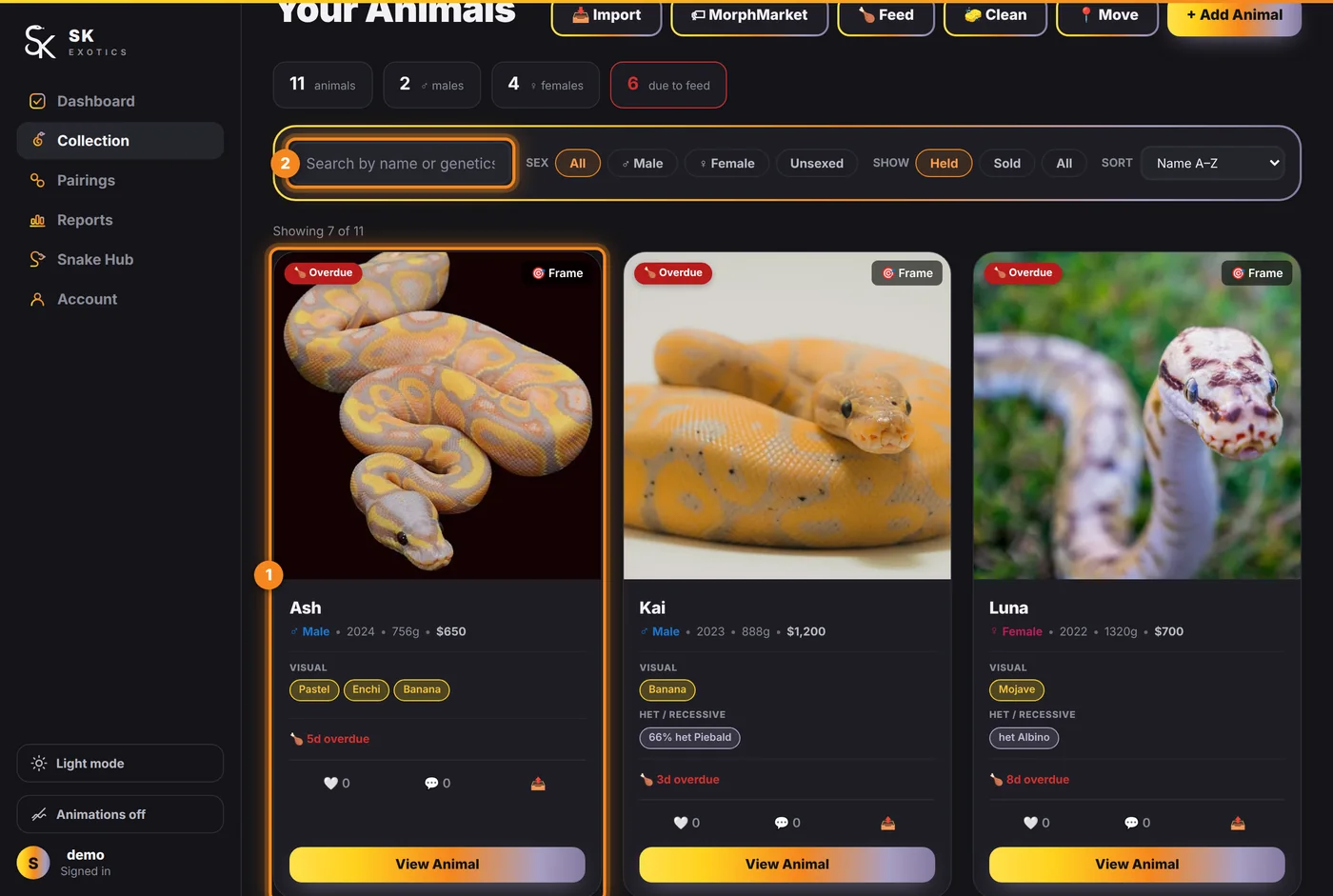
- 1. The card — tap anywhere on it, or View Animal at its foot.
- 2. Search — by name or by morph.
That opens the animal's profile.
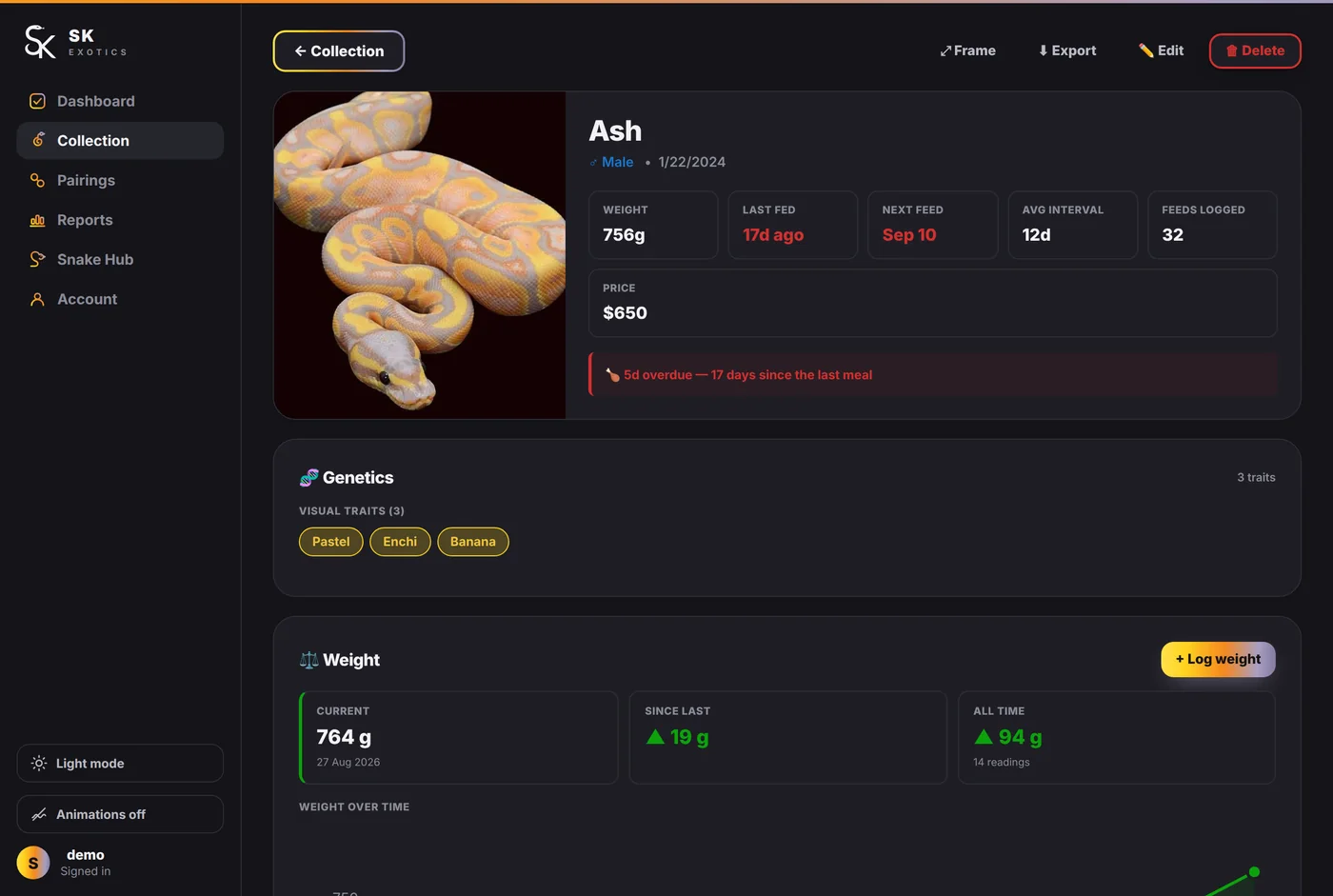
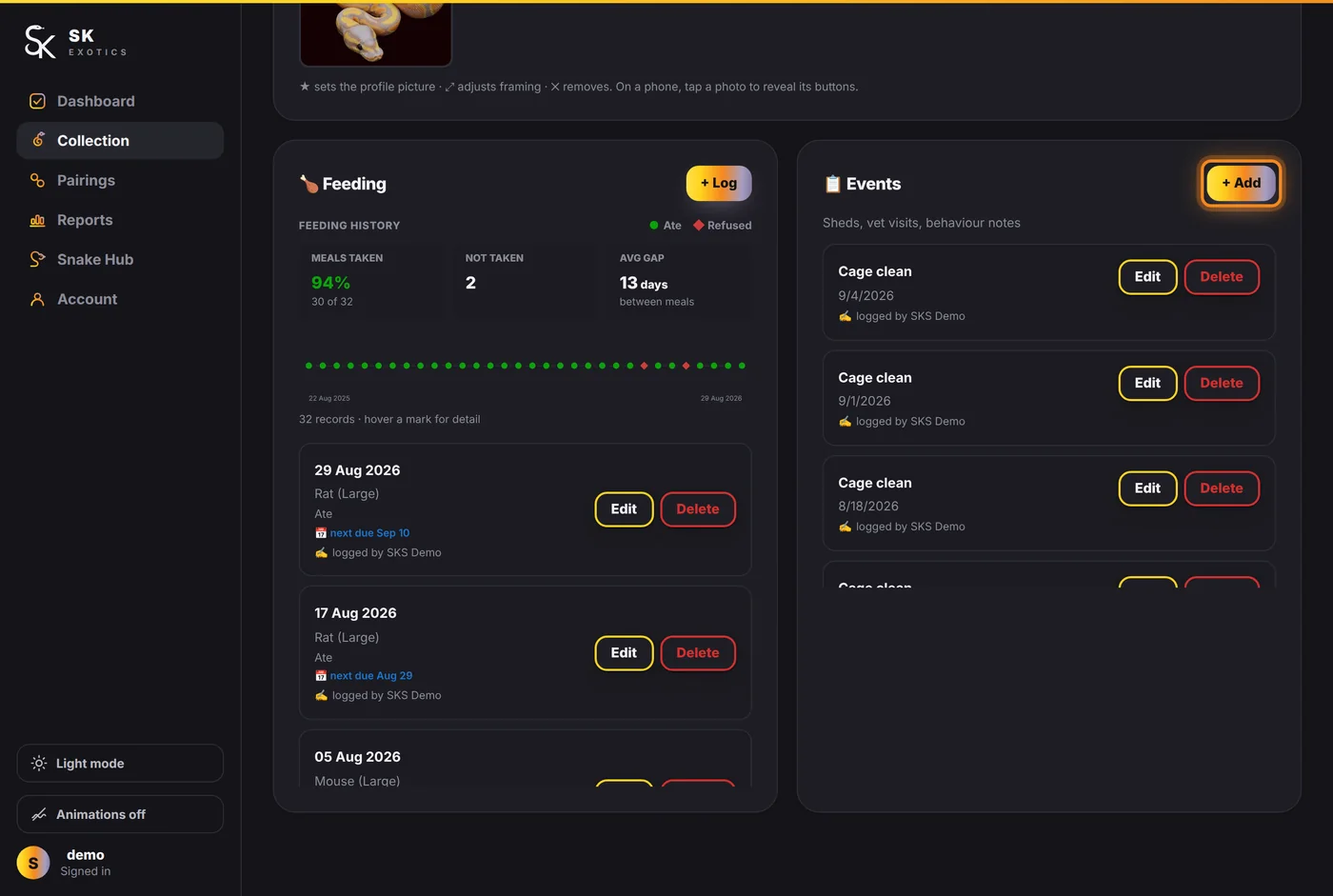
Scroll to Events
The profile is a stack of cards: the header, Genetics, Weight, Gallery, Breeding history, and then Feeding and Events side by side. Press + Add on the Events card.
Fill it in
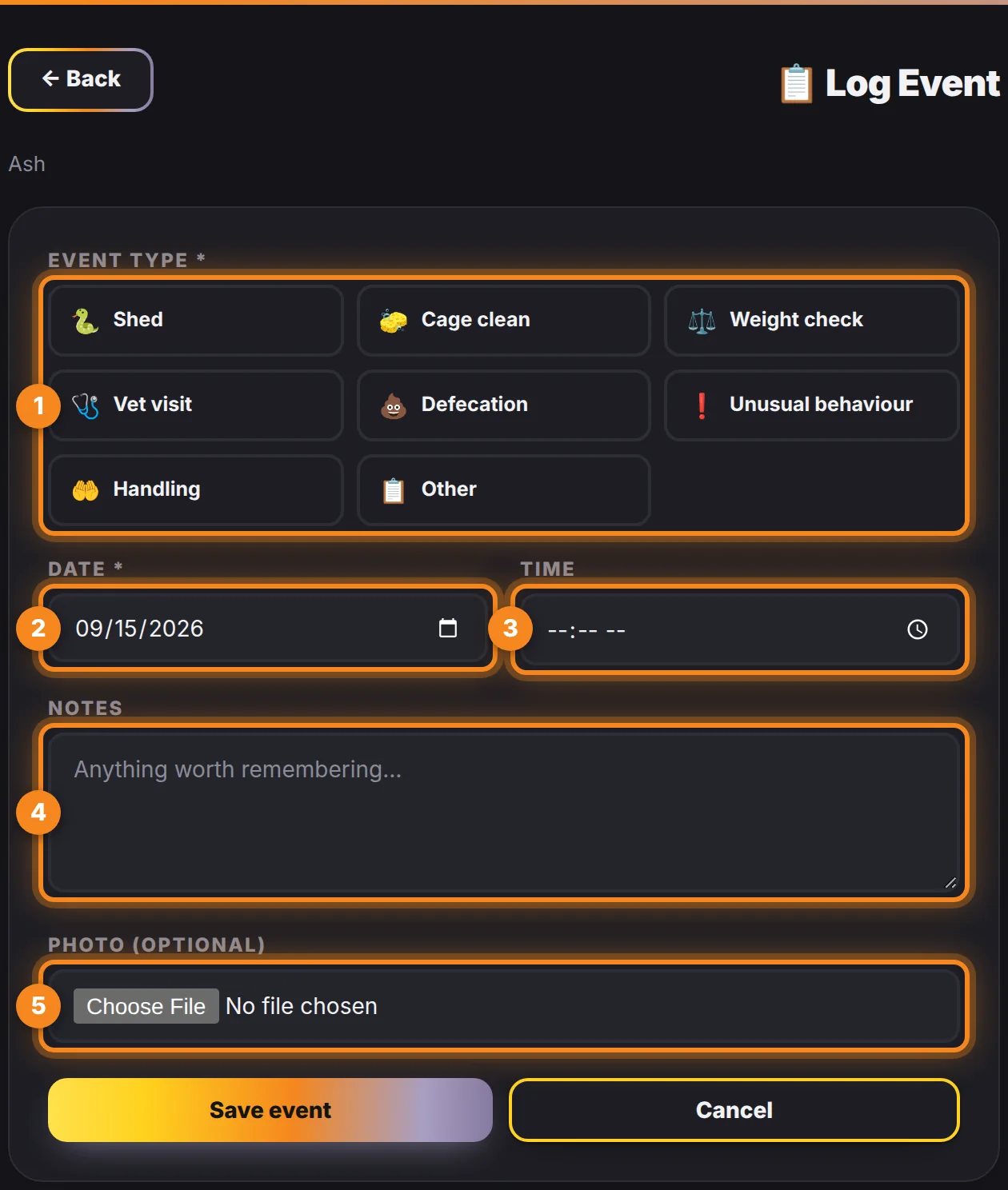
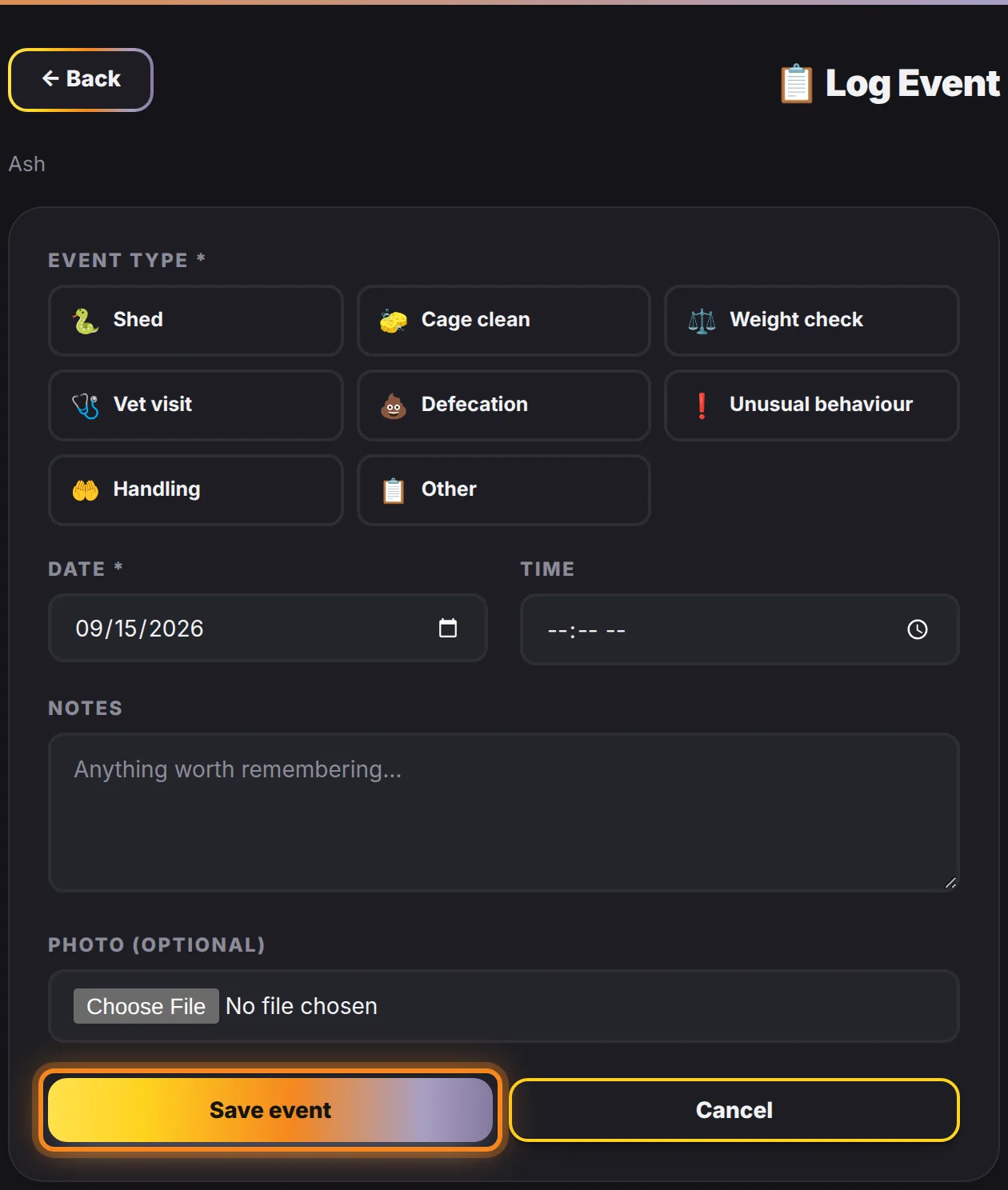
- 1. Event type — pick one of the eight: Shed, Cage clean, Weight check, Vet visit, Defecation, Unusual behaviour, Handling, or Other.
- 2. Date — defaults to today. Change it if you are catching up on the record afterwards, which is normal.
- 3. Time — optional, and only worth using when the hour matters.
- 4. Notes — optional, and the field people regret leaving blank. "One piece" on a shed, or what the vet actually said, is the part you will want in six months.
- 5. Photo — optional. Useful for a shed you were not happy with, or a mark you want to watch.
Then press Save event.
Why it is worth the ten seconds
- Cage clean feeds the "Cleanings due" counter on the dashboard and the cleaning cadence in the animal's report.
- Shed builds the shed interval, which is one of the earliest signs something has changed.
- Weight check adds a point to the growth curve. So does + Log weight on the Weight card — same record, two ways in.
- Everything logged appears on the calendar and in that animal's report, and exports to PDF and Excel with the rest.
A gap in the record is not a neutral thing — reports show a dash rather than a zero when a figure cannot be worked out honestly, which is the app telling you where the gap is.